A job application tracker that tells you which resume to send, writes the cover letter, preps you for the interview and fills in the application form, all with AI that runs through a helper on your own computer instead of a paid API key.
- 0
- technologies
- 0
- shipped features
- 0
- screens
- 0
- decisions logged
5 sections below
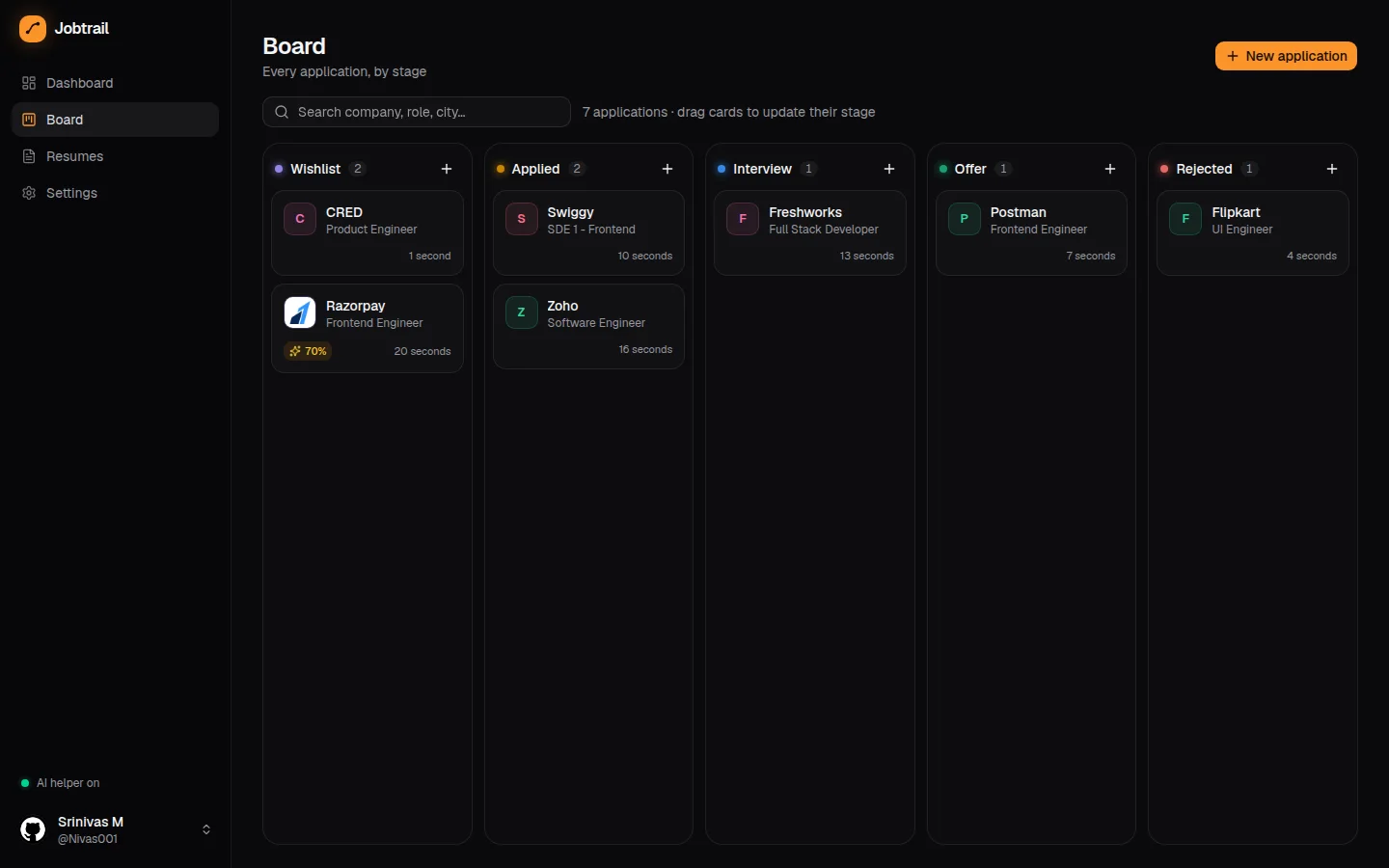
Job hunting with several versions of a resume gets messy fast: which one went to whom, which one fits this posting, what it is missing, and whether you ever followed up. Jobtrail keeps every application on one drag-and-drop board (Wishlist → Applied → Interview → Offer → Rejected), logs every move to the application's timeline, and answers those questions with AI.
How it works: the app is Next.js 16 with React 19 and Server Actions, backed by Appwrite for GitHub sign-in, tables and a private resume bucket. Every row and file has owner-only permissions, and sign-in is limited to an allowlist. Resumes are uploaded as PDFs, and their text is extracted with unpdf so the AI can read them.
The AI is not a hosted API. A small Node helper (helper/server.mjs) runs on your computer on 127.0.0.1:4777. The browser calls it directly, and it turns each request into an Antigravity CLI call with a JSON schema (agy --print --output-format json --json-schema …), so every answer comes back as validated JSON. Each call runs in an empty temporary workspace with tools disabled. The helper answers only allowlisted origins and refuses to fetch local-network URLs. Because the hosted site talks to localhost, it sends Chrome's Private Network Access header, and the browser asks once for permission.
From one job link or pasted posting, it extracts company, role, location, work mode and salary. It then compares all your resumes against the posting, picks the best one, scores the fit from 0 to 100, lists matched and missing keywords, and suggests concrete edits. It can also draft a cover letter in the tone you choose, an interview prep sheet (likely technical and behavioural questions with tips tied to your real projects, plus questions to ask them), and follow-up or thank-you emails.
Auto-fill opens the company's Greenhouse, Lever or Ashby form in its own Chromium window using playwright-core. It attaches the best-matching resume, waits until the site has really accepted the upload, fills standard fields from your profile, and sends the remaining questions to the AI, which answers only from your profile and resume. It leaves blank what it cannot honestly answer, plus legal agreements, declines demographic questions and never ticks marketing opt-ins. It never clicks Submit. You review and send, and the card moves to Applied when the confirmation page appears.
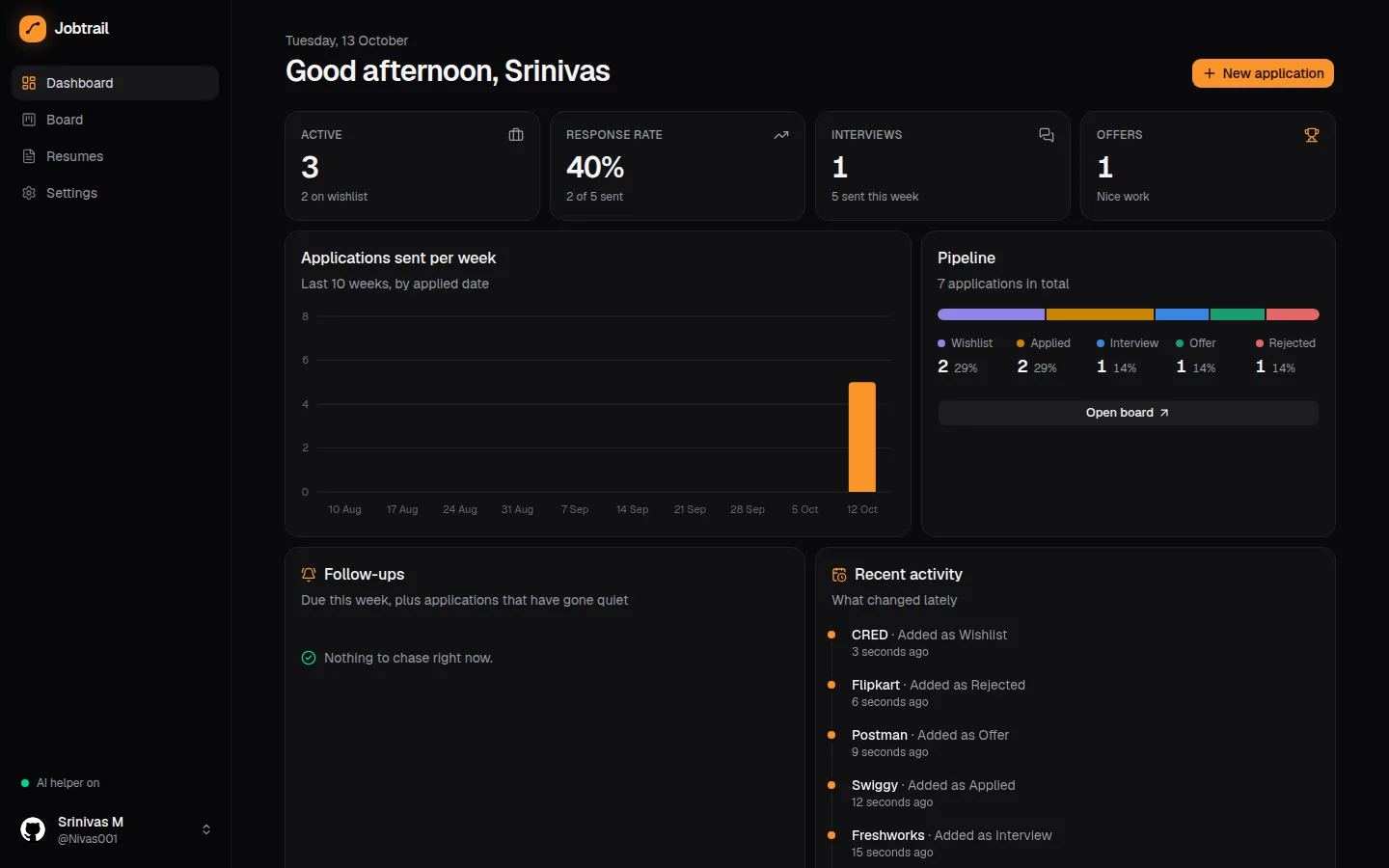
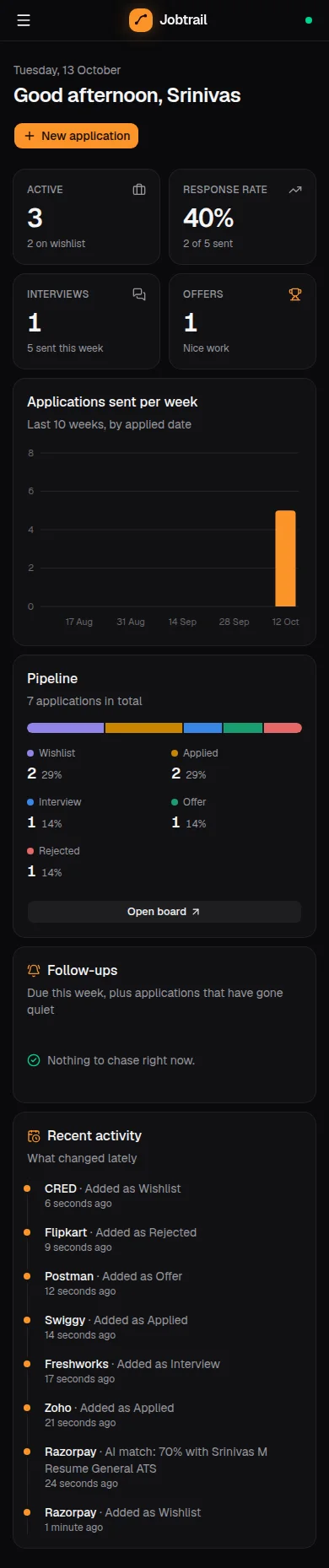
The dashboard shows active applications, response rate, interviews, offers, a weekly chart, the pipeline breakdown, follow-ups due and applications that have gone quiet. A notification bell surfaces interviews in the next three days and overdue follow-ups. Interviews export as calendar invites (.ics), and the whole pipeline exports as a CSV with spreadsheet-formula injection neutralised. When the helper is unreachable (on a phone, say), the AI buttons disable and everything else keeps working.
Capture
Paste a job link or the posting text. The helper fetches the page and AI extracts the role details into a new card.
Server Actions · helper
Store
Applications, timelines and notifications go into Appwrite tables, and resumes into a private bucket. Every row is owner-only.
Appwrite TablesDB · Storage
Ask the AI
The browser calls the helper on 127.0.0.1:4777, which runs agy --json-schema in an empty workspace and returns validated JSON.
Node helper · Antigravity CLI
Match & write
It picks the best resume with a fit score and missing keywords, then drafts the cover letter, interview prep and follow-up emails.
unpdf · JSON schema
Apply
Playwright opens the Greenhouse, Lever or Ashby form, attaches the resume and fills it, then stops. You press Submit and the card moves to Applied.
playwright-core · Chromium
- Drag-and-drop pipeline board with a per-application activity timeline
- Paste a job link → AI fills company, role, location, work mode and salary
- Resume match: compares every resume, picks the best, 0–100 fit score, missing keywords, suggested edits
- AI cover letters, interview prep sheets, and follow-up / thank-you emails grounded in your real resume
- Greenhouse / Lever / Ashby auto-fill in a separate Chromium window that stops before Submit
- Local AI helper: Antigravity CLI with JSON-schema output, tools disabled, origin allowlist, no API key
- Dashboard with response rate, weekly chart, follow-ups due, gone-quiet applications and a notification bell
- Interview .ics invites, CSV export, resume versions; GitHub sign-in with owner-only permissions
The section above says what this does. This one says why it is built the way it is — including the parts that did not come free.
- A localhost helper that drives the Antigravity CLI already signed in on my machineoverCall a hosted LLM API from the serverShip a key to the browserBecause
There is no key to leak or pay for, resume text goes only to the model I already use, and JSON-schema output makes every answer machine-checkable.
What it costAI works only on a computer running the helper. The hosted site needs Private Network Access permission, and the AI buttons are disabled on a phone.
- Fill the form in a separate Chromium profile, then stop before SubmitoverFull auto-applyBrowser extensionBecause
The AI answers only from the profile and resume, leaves blank anything it cannot honestly answer, and the human always makes the final click. Jobtrail detects the confirmation page itself.
What it costOnly Greenhouse, Lever and Ashby are supported properly. LinkedIn Easy Apply, Indeed and Naukri are left out because their terms forbid automation.
- Pin Vercel functions to Singapore (sin1), next to the Appwrite regionoverDefault US regionBecause
Server Actions make several database calls per interaction. Putting compute beside the data removes a cross-ocean hop from every one of them.
What it costCold starts are slower for visitors far from Asia.
01 / 07Dashboard
open full size ↗Seen enough?
There are more where this came from — or skip the browsing and just say hello.